
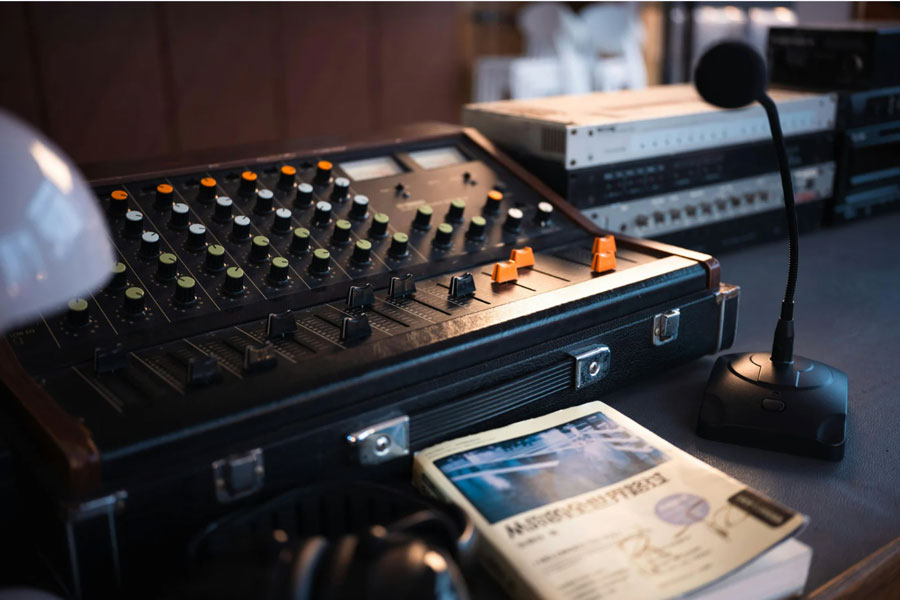

Audio is half the broadcast. Here is how to get it right in your control room.
Audio quality makes or breaks a broadcast faster than video. Viewers will tolerate a slightly imperfect camera shot. They will not tolerate distorted audio, an unbalanced mix, or a guest whose microphone is not on. Bad audio drives audiences away in seconds.
Yet audio infrastructure is consistently the most under-planned element of control room design. Teams spend months selecting the right video switcher and then make audio decisions in the final weeks before installation. This guide covers what audio mixing in a broadcast control room actually requires and how to plan it properly.
Broadcast Mix vs. House Mix
This distinction is critical for any facility that produces audio for both a live audience and a broadcast or stream. The house mix — what the audience in the room hears — is fundamentally different from the broadcast mix that goes to viewers at home.
A house mix is designed to fill a physical space. It accounts for room acoustics, speaker placement, and audience proximity. A broadcast mix is designed to sound good through earbuds, laptop speakers, TV speakers, and phone speakers. It needs tighter dynamic range, more precise stereo imaging, and different EQ than a house mix.
Many churches and live event venues run a single audio mix for both the room and the stream. The result is a stream that sounds thin or harsh because the house mix was never designed for headphones and small speakers. A dedicated broadcast audio operator creating a separate mix is the single biggest improvement most facilities can make to their stream quality.
Audio Console Selection
The audio console in the control room handles the broadcast mix. For smaller productions, embedded audio processing within the video switcher may be sufficient. For anything more complex, a dedicated audio console gives the operator the control they need.
- Digital consoles with physical faders: The industry standard for broadcast. They combine the tactile control of analog faders with digital processing, effects, and routing. Operators can feel the mix rather than clicking a mouse.
- Channel count: Count every audio source in the production. Microphones (wired and wireless), music playback, sound effects, remote audio feeds, and any audio from video playback sources. Then add 25% headroom.
- Dante and AES67 support: Networked audio is the standard for modern facilities. A console that supports Dante or AES67 integrates cleanly with the rest of the production infrastructure and simplifies cabling.
- Mix-minus capability: Essential for any production with remote guests or IFB feeds. A mix-minus sends program audio to a remote guest minus their own audio to prevent echo and feedback.
Control Room Audio Monitoring
The audio operator needs to hear the broadcast mix accurately. This requires proper monitoring in the control room.
- Near-field monitors: Studio monitor speakers positioned at the audio operator’s console. These should be high-quality monitors mounted on vibration-isolating pads to prevent the console from resonating.
- Headphone monitoring: The audio operator needs headphones for detailed monitoring of individual channels and for checking the mix in isolation from room noise.
- Acoustic treatment: The area around the audio position should have some acoustic treatment to reduce reflections. This does not need to be a full recording studio treatment but bare walls and hard surfaces compromise the operator’s ability to hear accurately.
- Level metering: Visible metering at the audio position showing program levels, individual channel levels, and loudness measurement (LUFS) to ensure compliance with broadcast standards.
Common Audio Mistakes in Control Room Design
- No dedicated audio operator — relying on the TD or director to manage audio while doing their own job
- Audio console as an afterthought — selecting it last and cramming it into whatever space remains
- No broadcast mix — sending the house mix directly to the stream without a dedicated broadcast mix
- Inadequate monitoring — no studio monitors at the audio position or monitors placed poorly
- Insufficient channel count — running out of inputs on the console and having to submix sources before they reach the board
- No mix-minus for remote guests — resulting in echo that makes remote interviews unusable
Need help planning your audio infrastructure?
TakeOne integrates audio systems as part of every control room build. We help you select the right console, design the monitoring environment, and build an audio workflow that delivers broadcast-quality sound.
Call 1-877-818-2531 to discuss your audio needs.
About TakeOne Broadcast Solutions
TakeOne is a full-service broadcast video integrator and consultant that designs, builds and supports professional video systems for sports venues, universities, churches and broadcast facilities nationwide. From control room design through equipment integration and operator training, we handle every phase of the project.
Request a control room assessment or call 1-877-818-2531 to discuss your project.