
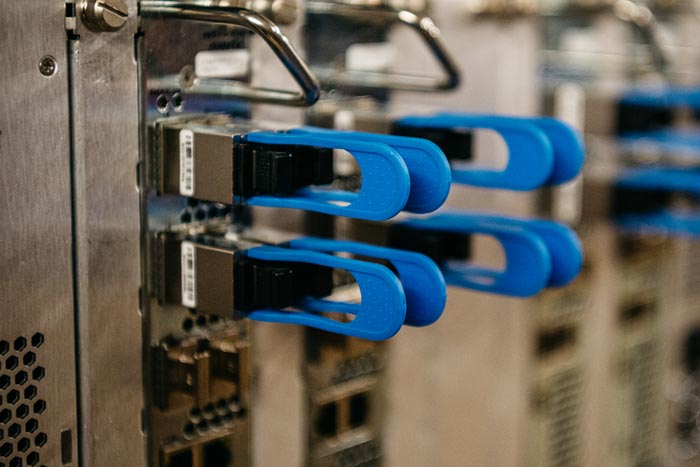

The infrastructure nobody sees that determines whether everything else works.
If the video switcher is the heart of the control room, the routing infrastructure is the circulatory system. Routing determines which signals can reach which devices. It controls what the switcher can see, what the monitors can display, what the replay server can record, and how signals move between every piece of equipment in the room.
Routing is also the part of the system that most people undersize. A control room with a powerful switcher and excellent replay but an inadequate router is a control room that cannot deliver on its potential.
What Routing Does
A video router is a switching matrix that connects any input to any output. Camera feeds come in on one side. Outputs go to the switcher, multiviewer, replay server, streaming encoder, recording devices, and any other destination that needs video. The router makes it possible to change those connections without physically moving cables.
Without a router, every connection is hard-wired. Camera 1 goes to switcher input 1, always. With a router, camera 1 can go to any switcher input, any monitor, or any recording device at the push of a button. This flexibility is essential for any facility with more than a handful of sources and destinations.
Sizing Your Router
The most common mistake in routing is buying a router that is too small. Count every source and every destination in your facility and then add 30-40% spare capacity.
Sources (inputs) to count:
- Every camera
- Every graphics output channel
- Every replay output channel
- Every media server or playback device
- External feeds (network feeds, remote venues, satellite)
- Test and reference signals (color bars, tone)
Destinations (outputs) to count:
- Every switcher input
- Every multiviewer input
- Every replay server record channel
- Every streaming encoder input
- Every recording device
- Monitor feeds for individual operator displays
- External output feeds (network contribution, venue displays)
A typical mid-size control room might have 20-30 sources and 30-50 destinations. A 32×32 router would handle this with minimal headroom. A 64×64 router provides comfortable growth capacity. The cost difference between a barely-adequate router and a right-sized one is small compared to the cost of replacing an undersized router in two years.
Router capacity is the single most important long-term infrastructure decision in a control room. Everything else can be upgraded independently. The router touches everything.
Distribution Amplifiers
A distribution amplifier (DA) takes one signal and splits it to multiple destinations. Unlike a router which handles many-to-many connections, a DA handles one-to-many. Common uses include splitting the program output to multiple recording devices, sending a reference signal to all equipment in the room, and distributing clock or timecode to every device that needs it.
DAs are simple devices but they serve a critical function. Using a T-connector or passive splitter instead of a proper DA degrades the signal. Every split that needs to maintain signal quality deserves a proper DA.
SDI vs. IP Routing
Traditional SDI routers move baseband video over coaxial cable. They are proven, reliable, and well-understood. IP routing uses network switches to move video packets over Ethernet. It offers massive scalability and flexibility but requires networking expertise.
For facilities building new in 2026, an IP-capable routing infrastructure (or at minimum a hybrid approach) is the best long-term investment. For facilities upgrading existing SDI rooms, extending the SDI router with additional capacity may be the most practical near-term move. The SDI-to-IP transition article elsewhere on our site covers this decision in detail.
Router Control
A router is only as useful as its control interface. Operators need to be able to change routes quickly during live production. Control options include dedicated hardware panels at operator positions, software control via touchscreen or computer, and automation that changes routes based on production presets.
For most facilities, a combination works best. The TD has a small hardware panel for quick changes during live shows. An engineering workstation has full software control for setup and troubleshooting. And the system stores presets for different production types that configure routing with a single button.
Planning your routing infrastructure?
TakeOne designs routing systems that match your current needs and provide room to grow. We help you size the router correctly the first time.
Call 1-877-818-2531 to discuss your infrastructure needs.
About TakeOne Broadcast Solutions
TakeOne is a full-service broadcast video integrator and consultant that designs, builds and supports professional video systems for sports venues, universities, churches and broadcast facilities nationwide. From control room design through equipment integration and operator training, we handle every phase of the project.
Request a control room assessment or call 1-877-818-2531 to discuss your project.