
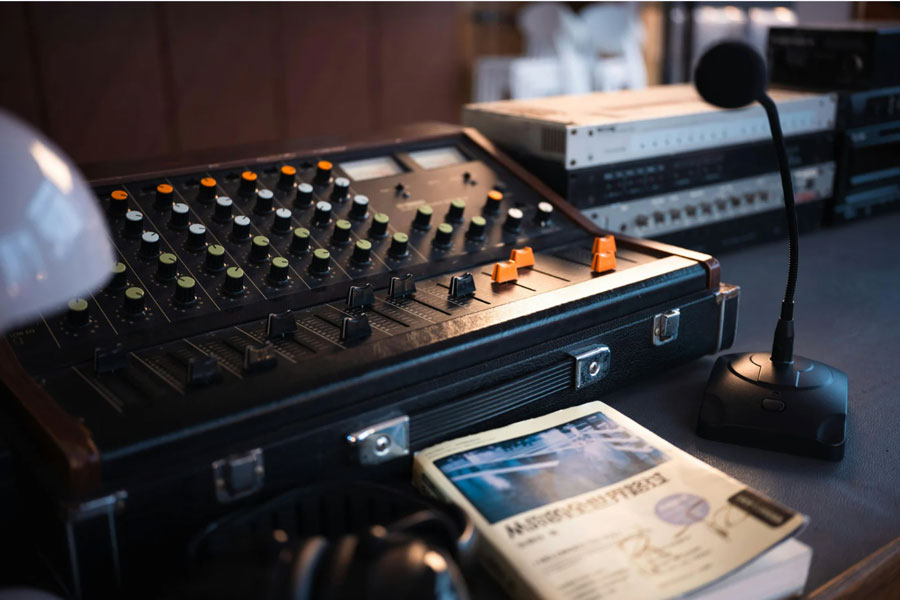

Flypacks are portable, self-contained broadcast control rooms that pack professional video, audio, and communications gear into rugged road cases for fast deployment anywhere you need to produce live content. They are designed to deliver the capabilities of a fixed control room in a compact, standardized form factor that can travel between venues and be ready to go live in minutes.
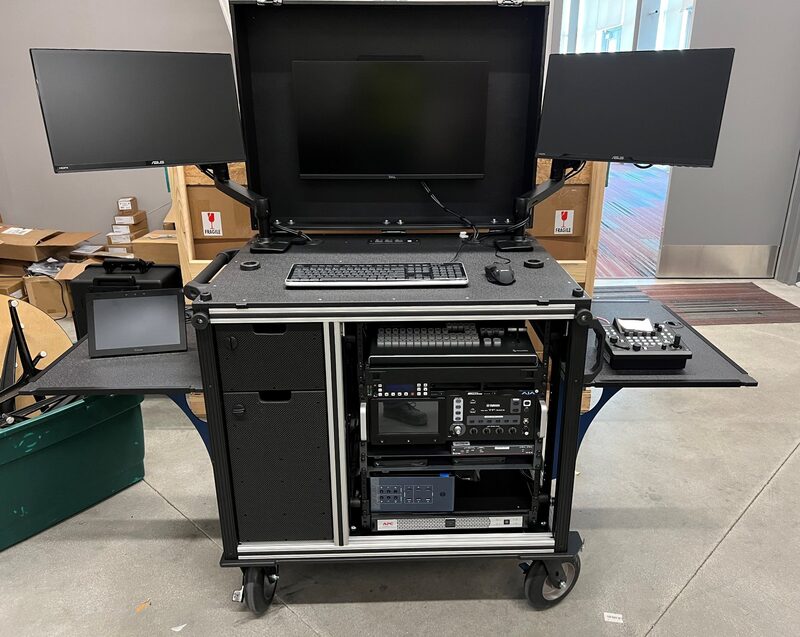
What Is a Flypack?
A Flypack (often called a portable production unit or PPU) is a pre-engineered system where switchers, routers, encoders, intercom, monitoring, and power distribution are pre-mounted, pre-wired, and tested inside cases that can be shipped or rolled into a venue. Instead of building a temporary control room from loose gear each time, crews connect cameras, audio, and network lines to a known, repeatable infrastructure that behaves the same way at every show.
Flypacks can range from ultra-compact “one-person kits” to multi-rack systems supporting large sports or entertainment events. The common thread is that all mission-critical components are integrated into a cohesive, road-ready package that minimizes on-site integration and maximizes uptime.
What Flypacks Do in a Production
Flypacks function as the technical heart of a live production, handling all signal flow between cameras, operators, and delivery platforms. A typical professional Flypack can:
- Switch and mix multiple camera feeds via an integrated production switcher
- Route and process signals through routers, distribution amps, and frame syncs
- Manage audio mixing, monitoring, and IFB/communications for talent and crew
- Provide multiview monitoring for TDs, directors, producers, and engineers on a single or multiple displays
- Encode, stream, and/or record program output for OTT platforms, broadcast, and archival delivery
- Centralize power distribution, UPS, and cable management so the system powers up cleanly and predictably every time
Because everything is pre-integrated, teams can focus on creative and operational choices instead of troubleshooting patch panels, adapters, and mismatched formats on site. This greatly reduces risk in high-pressure environments like live sports, conferences, and concerts where there are no second chances.
Who Flypacks Are For
Flypacks are ideal for anyone that needs repeatable, professional live production away from a fixed studio.
Typical Users
- Sports and esports producers
Leagues, OB providers, and sports venue control room teams use Flypacks to cover games, tournaments, and studio shows in arenas, stadiums, or temporary venues while keeping workflows consistent from event to event. - Corporate and agency event teams
Corporate communications, experiential agencies, and AV providers rely on Flypacks for roadshows, town halls, investor meetings, and hybrid events where high production value must travel with the team. - Houses of worship and ministries
Churches and ministries deploy Flypacks to support portable campuses, conferences, and outreach events, maintaining the same production quality and brand look across locations. - Universities, government, and education
Campus media teams, public information offices, and training departments use fFypacks to cover lectures, commencements, hearings, and field exercises without building a permanent control room at every site. - Live entertainment and touring productions
Touring shows, festivals, and concert producers bring their own Flypack so production control room operations remain stable regardless of the local infrastructure and staff.
Why Flypacks Are So Useful
The value of a Flypack comes from standardization, speed, and reliability rather than any single piece of gear. End users benefit in several key ways:
- Faster setup and strike
Because systems are pre-wired and labeled, setup often drops from hours to minutes, dramatically reducing labor and overtime costs and freeing crew to focus on rehearsals and refinements. - Predictable workflows
Operators sit down at a familiar layout every time: same multiview layout, same panel labeling, same routing logic, and the same macro behavior across shows, which shortens training and reduces mistakes. - Reduced technical risk
Pre-tested integration means signal chains, formats, and intercom paths are verified before they ever reach the venue, cutting down on last-minute surprises during soundcheck or just before going live. - Scalability and flexibility
Flypacks can be scaled up with additional cases (e.g., replay, graphics, second control room) or down to very small kits for compact shows, allowing organizations to match system size to project requirements. - Better use of funds
Instead of duplicating a studio control room at multiple sites, you can invest in a high-quality, mobile system that serves many venues or customers throughout the year.
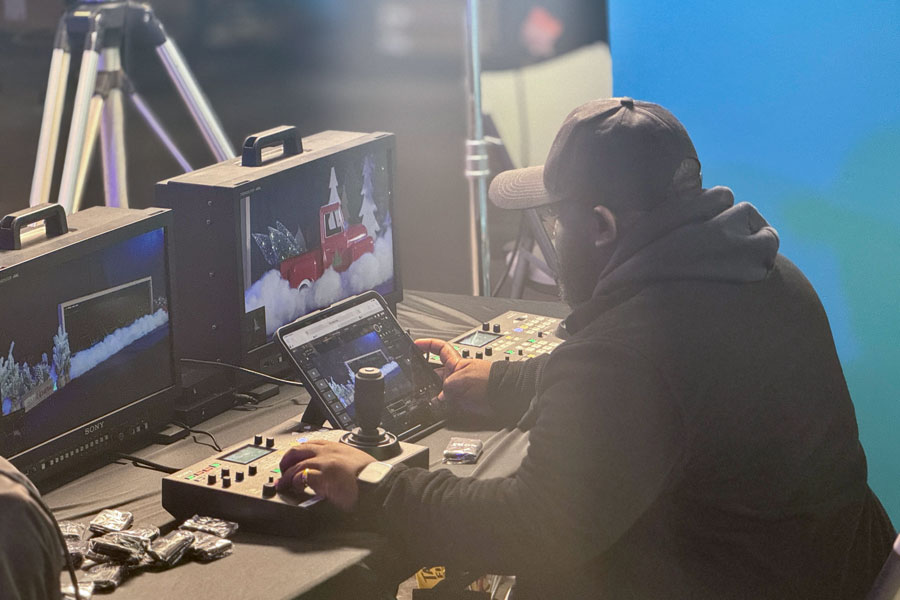
Flypack User Benefits
The table below summarizes how different user types typically benefit from Flypacks.
| User Type | Primary Use Case | Key Benefits to End User |
|---|---|---|
| Sports / Esports | Multi-camera game/tournament coverage | Faster setup, standardized workflows, lower tech risk |
| Corporate / Agency | Roadshows, town halls, hybrid events | Consistent branding, reliable streaming, smaller crews |
| Worship / Ministries | Portable campuses, conferences, outreach | Studio-quality production in temporary spaces |
| Universities / Colleges | Ceremonies, Speeches, training, field productions | Reusable system across campuses and venues |
| Live Entertainment | Tours, festivals, one-off events | Independence from venue infrastructure, repeatable show flow |
How TakeOne Helps with Flypacks
A generic Flypack is helpful, but a thoughtfully designed, application-specific system is where organizations see the most long-term value. TakeOne.tv focuses on broadcast-grade Flypacks that are engineered around real-world workflows, not just a list of hardware.
TakeOne’s approach emphasizes:
- Workflow-first design
Systems are planned around how directors, TDs, shaders, audio engineers, and producers actually work together—signal flow, monitoring, and ergonomics are mapped before boxes are chosen. - Rugged, road-ready integration
Cases, power, ventilation, and cable management are designed for repeated transport and quick deployment, with attention to weight, handle placement, and ease of access during troubleshooting. - Vendor-agnostic gear choices
TakeOne.tv can integrate switchers, routers, comms, and encoders from a range of manufacturers to align with your team’s preferences, existing inventory, and budget. - Scalability and futureproofing
Systems are planned with growth in mind—additional cameras, replay, graphics, or UHD/HDR workflows can be accommodated as needs evolve instead of forcing a full redesign.
For end users, this means less time worrying whether the technology will hold up and more time focusing on content, storytelling, and audience engagement. The result is a Flypack that feels like a familiar home base wherever you roll it in.
FAQs About Flypacks
-
How is a flypack different from just putting gear in a rack?
A Flypack is a fully engineered system, not just gear bolted into a case. Signal paths, power, cooling, cable dressing, labeling, and workflow are all designed, documented, and tested as a unit, so it behaves like a cohesive control room rather than a random assortment of components.
-
Can a flypack handle 4K, HDR, or IP-based workflows?
Modern Flypacks can be built for HD, UHD/4K, HDR, and even hybrid SDI/IP environments depending on requirements and budget. Switchers, routers, encoders, and multiviewers can be specified to support current formats while providing clear upgrade paths for future standards.
-
How many people does it take to operate a Flypack?
Operation scales with the size of the system and the show: a compact kit might be handled by one or two people, while a full sports or entertainment Flypack could serve a full crew of director, TD, shader, audio, replay, and graphics. Because workflows are standardized, onboarding additional operators is typically faster than building new workflows per show.
-
Are Flypacks only for big broadcasters?
No—Flypacks are widely used by mid-sized organizations, corporations, houses of worship, schools, and regional production companies that want professional results without the cost or complexity of building multiple permanent control rooms. Thoughtful design can bring broadcast-level reliability into budgets suitable for smaller teams.
-
What does the process of getting a custom Flypack look like?
A typical process includes discovery of your use cases, venues, staffing, and existing gear; technical design and drawings; equipment selection; integration and testing; operator training; and ongoing support. Working with a specialist reduces guesswork and ensures the final system matches what your team actually needs to do on show day.
Connect with TakeOne.tv
If your team is wrestling with ad-hoc setups, unreliable rentals, or inconsistent quality from venue to venue, a well-designed Flypack can transform your live production experience. Whether you are planning a compact corporate kit or a full-scale sports or entertainment system, TakeOne.tv can help translate your creative and operational needs into a robust, road-ready Flypack that feels like a permanent control room wherever you go.
To explore what a tailored Flypack could look like for your organization, reach out to TakeOne.tv to start a conversation about your shows, venues, and long-term goals.